What is a CRM for event companies?
A customer relationship management (CRM) system is a place to organise the enquiries and people behind your event business. You record who has contacted you, what they need, the quote you have sent and the next action to take. For a small events supplier, that often means managing the work before an event is confirmed, not the running of the event itself.
For example, a wedding photographer might receive several requests for the same month. Each couple could be considering different coverage options, venues and budgets. Keeping those discussions in customer records makes it easier to identify who needs a quote, who has received one and who is still deciding.
The distinction: an event CRM helps with relationships and sales administration. Event-management software may instead handle schedules, guest lists, venue logistics, staff and equipment. Nice One CRM focuses on the first category.
Why event enquiries are easy to lose track of
An enquiry rarely arrives with everything you need to send a final price. Someone may first ask whether you cover their date, then request a package brochure, then return a week later with a different venue or guest count.
- Messages arrive everywhere: website forms, social messages, emails and phone calls can become separate conversations.
- Details change: venue, timings, guest numbers and requested services can evolve before a quote is accepted.
- Quotes need following up: customers may compare several event suppliers and take time to decide.
- Seasonality makes admin uneven: one week might be quiet, followed by several wedding or Christmas-party enquiries together.
- Returning contacts matter: a venue or corporate client might enquire about another occasion months later.
A simple CRM does not make those decisions for you. It gives you somewhere to record the conversation and remember the next step.
From event enquiry to invoice: a practical workflow
Consider a wedding DJ receiving a request for a reception. The process below also works for entertainers, photographers, decorators and other event suppliers.
Record the enquiry
A couple asks if you're available for their wedding. Save their contact details, preferred date and what they're looking for.
Collect event details
Add notes about the venue, approximate guest numbers, timings and any questions that affect your package or price.
Prepare a quote
Create a quote for the services discussed. If you need to confirm something with a venue or supplier, add a task.
Follow up
Set a reminder to check whether the customer has questions. Keep the next conversation visible rather than relying on memory.
Record the decision
Mark the enquiry as won or lost when you know the outcome. Agree the actual event arrangements directly with the customer.
Create an invoice
When appropriate, convert an accepted quote into an invoice and keep the paperwork connected to the customer.
For every enquiry, it helps to know three things: what the customer wants, what you have already agreed and what needs to happen next. The rest of the admin can build around that foundation.
CRM features that are useful for event suppliers
You do not need every feature in a specialist event platform to stay on top of new business. For a solo supplier or small team, the most helpful CRM tools are often straightforward.
Enquiry Manager
Keep wedding, private-party and corporate-event enquiries together. Business Page form requests arrive in Enquiry Manager; requests from calls or messages can be entered manually.
Customer records and notes
Keep contact information and notes about dates, venues, guest numbers and requirements next to the customer. These are notes, not specialist event-planning fields.
Quotes and invoices
Create a quote for a package or bespoke service, then convert an accepted quote into an invoice. Deposits and payment collection happen outside Nice One CRM.
Tasks and follow-up reminders
Remember to send a package brochure, call a venue, revise a quote or check back with a potential customer. Reminders do not send messages automatically.
Business Page and services menu
Describe your services, show fixed, 'from' or enquiry-only pricing and let visitors send an enquiry about a package.
Growth tasks and Prospects
Work on small promotional actions or discover UK business contacts worth approaching. Prospects does not provide confirmed event enquiries or guaranteed bookings.
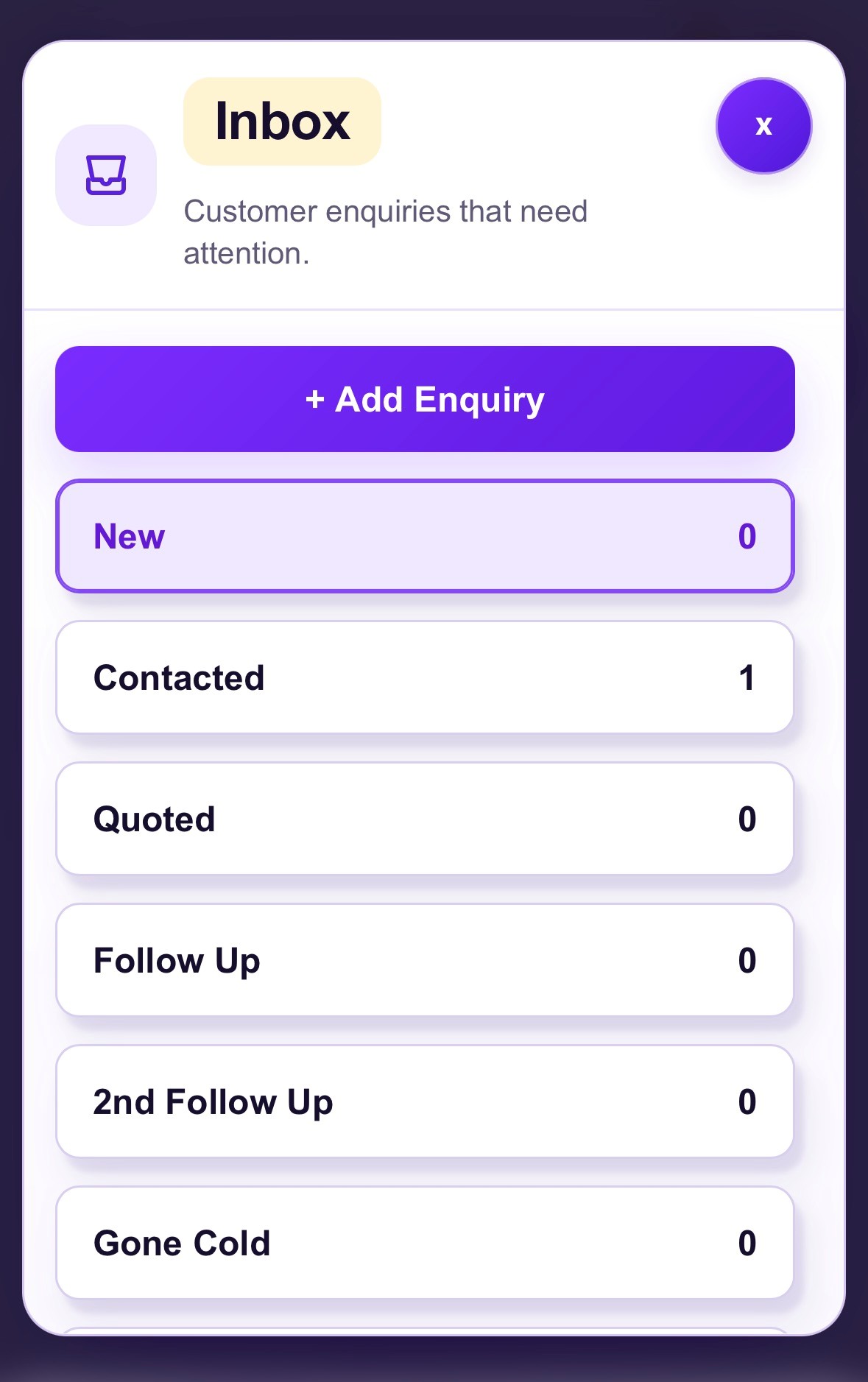
A useful habit: after sending each package quote, add a follow-up task for a sensible date. That way, a promising enquiry is less likely to disappear beneath new messages.
How to handle event-date enquiries without promising a booking
Availability is often the first question from a couple, organiser or venue. Nice One CRM's Business Page can display your services and packages, collect customer enquiries and optionally let people request a preferred date using an availability calendar.
You can block unavailable dates. However, a date request is still an enquiry: it does not reserve your services, allocate equipment or confirm a booking. You check the details and agree availability, time and terms with the customer directly.
This distinction matters for events where one date might require several checks: for example, whether the venue allows your setup, whether the required equipment is available, and whether the timings are realistic.
Suggested information to request: event type, date, venue or area, approximate guest numbers, service required and the best contact details. Record the information in the enquiry or customer notes and confirm it yourself before committing.
See how Nice One CRM works
If you prefer to see the software in action, this short demonstration introduces the shared CRM tools for managing customer enquiries and follow-ups.
See how Nice One CRM works
Which event businesses can use a simple CRM?
Different suppliers deliver different services, but many face the same customer-admin challenge: lots of enquiries, questions and quotes before the work is agreed.
Wedding DJs and entertainers
Track wedding-date enquiries, package choices and questions about timings or equipment before sending a quote.
Photographers and videographers
Keep wedding, family and corporate-event enquiries separate, with notes about coverage requests and follow-up dates.
Caterers and mobile bars
Record guest-number estimates, venue details and the questions you need answered before preparing a package quote.
Decorators and hire suppliers
Keep requests for décor, furniture or equipment hire organised while confirming the specification and price directly.
Event planners
Track prospective clients, proposals and next steps. Continue using specialist tools for event production and supplier schedules.
Corporate-event suppliers
Organise enquiries from venues and companies, record contacts and follow up proposals without confusing prospects with confirmed work.
Nice One CRM may be especially useful if you handle your own sales and follow-ups. If you need seating plans, staffing allocation, complex recurring bookings or event-production timelines, you may also need a specialist system.
CRM vs spreadsheets, email and social inboxes
Many small event suppliers start with familiar tools. There is nothing wrong with that, especially if you only receive a handful of enquiries. The problem arises when information is difficult to find or a promised follow-up gets forgotten.
| Method | Useful for | Main limitation |
|---|---|---|
| Email and social messages | Having conversations with customers | The next action can get buried among newer messages |
| Notebook or notes app | Quick details during a call or venue visit | Harder to see all outstanding quotes at once |
| Spreadsheet | Keeping an organised list of leads | Follow-ups and documents require more manual work |
| CRM | Connecting enquiries, customer notes, quotes and tasks | Needs a habit of entering and updating details |
The right time to adopt a CRM is often when you can no longer confidently answer: “Which people asked for a quote, and who have I not replied to yet?”
What to look for in CRM software for a small event company
Before choosing software, think about the work you actually need help with. A DJ working alone may need a much simpler system than a venue handling multiple teams, rooms and suppliers.
- Easy mobile access: can you check an enquiry while travelling between event locations?
- Clear enquiry stages: can you distinguish a new question from a quote awaiting a decision?
- Customer notes: can you record the venue and agreed details without searching through old messages?
- Follow-up tasks: can you remind yourself to return calls or chase quotations?
- Quotes and invoices: can you produce straightforward documents linked to the customer?
- Transparent pricing: does the monthly cost make sense for a small business?
- Honest booking capabilities: does it clearly distinguish a date enquiry from a confirmed reservation?
Nice One CRM offers the everyday customer-admin features above, with a 14-day free trial and no card required. It costs £7.49 per month after the trial. For detailed event logistics or ticketing, look at specialist event software alongside your CRM.
Frequently asked questions about CRM for event companies
What is a CRM for event companies?
A CRM for event companies helps organise enquiries, contact details, quotes, follow-ups and invoices. Nice One CRM is aimed at the customer-admin side of a small event business rather than event production.
Can I use it for wedding enquiries?
Yes. You can record wedding enquiries, customer details and notes about the preferred date, venue and services, then create quotes and follow-up tasks.
Can customers request a date on my Business Page?
Yes. The optional availability calendar lets visitors enquire about a preferred date and you can block unavailable dates. A request does not reserve the date or create a confirmed booking.
Can I display packages and prices?
Yes. The Business Page services menu supports service descriptions and fixed, 'from' or enquiry-only pricing, with a way for customers to enquire.
Does Nice One CRM automatically follow up quotes?
No. You can create follow-up tasks and reminders, but you decide when to contact a customer and send the message yourself.
Can I take deposits or customer payments?
Nice One CRM can create quotes and invoices, but it does not process payments or collect deposits. Use your existing payment arrangements.
Will it manage venues, guest lists or staffing?
No. It is not a venue-management, ticketing or event-production system. It does not allocate staff or equipment, manage guest lists or reserve dates automatically.
Does Prospects find couples planning weddings?
No. Prospects searches potential UK business contacts. It does not supply lists of private couples, confirmed event leads or guaranteed referrals.
Can I use it on my phone?
Yes. Nice One CRM runs in a browser on mobile and desktop so you can check enquiries, notes and tasks while away from your desk.
How much does Nice One CRM cost?
There is a 14-day free trial with no card required. After the trial, Nice One CRM costs £7.49 per month.
Keep your next event enquiry organised
Know who has asked for a quote, what you discussed and when to follow up. Try Nice One CRM for the customer-admin side of your event business.
Start your free 14-day trialNo card required · Then £7.49/month